Primary
Ages 6-8 | Grades 1-3Digital Literacy Fundamentals
Provide a foundation for learning. Create artwork, write stories, design slide shows, code animations, and more!

Browse Courses for
Primary Grades





Global Standards Driving Digital Intelligence Education
TechnoKids has been awarded the Powered by DQ seal. You can be confident that our
courses
deliver high-quality learning experiences. Our program meets global standards for
digital literacy, skills, and readiness.
TechnoKids Collections align with multiple digital intelligence competencies within
the
DQ Global Standards (IEEE 3527.1TM).

Recommended Sequence
Ages 6-7 | Grade 1 or 2
Computer Applications | Digital Literacy


TechnoStart

Build essential skills with fun and engaging computer lessons for beginners. Courses for Google Drawings and Windows Paint.

TechnoStories

Become an author. Use Google Docs or Word templates to publish books. Inspire young writers with fun story writing activities.



TechnoMe

Create an All About Me slide show. Share facts using a Google Slides or PowerPoint template. Fun lessons for kids.


Computer Science


TechnoWhiz

Introduce coding with Scratch Jr lessons. Design silly scenes, feed a pet monster, explore a magical land, and more!

Ages 7-8 | Grade 2 or 3, 3 or 4
Computer Applications | Digital Literacy
TechnoGallery
Explore digital art tools. Paint original images and display them in an art gallery using Google Drawings and Slides.
TechnoBookmaking

Publish a collection of books. Create a picture book, flip flap story, and more. Templates for Google Slides and PowerPoint.
TechnoFit
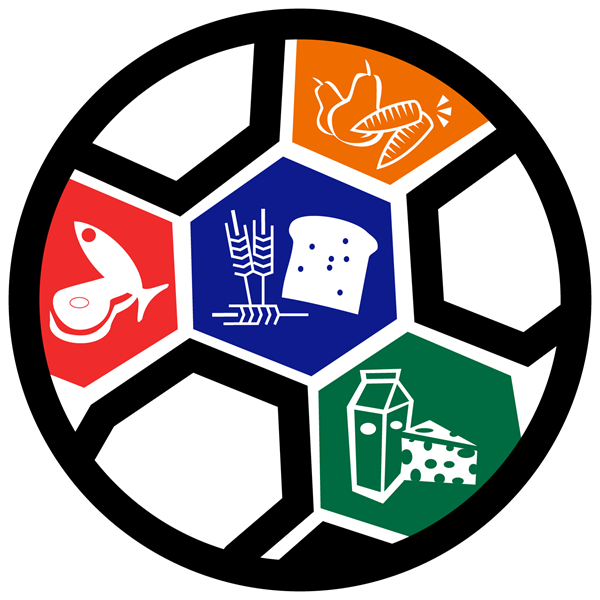
Raise awareness about health and nutrition using Microsoft Publisher. Design a food guide, fitness poster, menu, and more!
Computer Science


TechnoHelper Bots AI
Invent Helper Bots powered by Artificial Intelligence.
TechnoTales

Code a modern fairy tale. Use ScratchJr lessons to build scripts. Animate the hero embarking on a bold quest.
Beginner
Intermediate
Difficult
Primary technology courses are for beginners. They provide a foundation for learning. Activities emphasize fundamentals. Students create artwork, write stories, make presentations, and more!
Ages 6-7
Grade 1 or 2
Ages 7-8
Grade 2 or 3
Ages 8-9
Grade 2 or 3
Ages 9-10
Grade 2 or 3
Animation
sequence simple movement; set character speed; pause actions
sequence multiple actions; set character speed; repeat actions
Artificial Intelligence
Coding
build horizontal scripts with blocks; sequence simple events and loops; debug to fix errors
build horizontal scripts with blocks; sequence multiple events; trigger scripts to run
Computer Fundamentals
identify computer parts; use a mouse and keyboard; open & close a program; manage files
Data Analysis
Digital Citizenship
use a digital ID to login; log off; protect password; follow computer rules; ask for help
share work; provide positive feedback; respect others' perspectives
Game Development
create simple games with Scratch Jr.; player clicks sprites to play
play offline coding game; design a quest using symbols to control player's movement
Graphics
draw & format shapes; adjust tool settings (e.g., size, color); scale & position objects
paint using digital tools; erase errors; undo & redo actions; magnify objects
Presentation
use templates; basic text & image formatting; apply transitions, play slide show
use templates; adjust object order; format wordart; apply a theme, set print settings
Publishing
design publications for a target audience; format text & images to enhance the message
Word Processing
type, select & delete text; format font, size, & style; search & insert images; spell check
explore basic text & image formatting options; filter images in gallery by type
Primary technology courses are for beginners. They provide a foundation for learning. Activities emphasize fundamentals. Students create artwork, write stories, make presentations, and more!
How to Pick a Course
TechnoKids Primary Curriculum follows a progressive learning framework, where skills and competencies develop gradually across grades 1-3. Nevertheless, each TechnoKids course can be taught independently or combined with other titles to create a distinctive learning experience for younger students. Here are some recommendations for choosing a Primary course:
-
Consult the Scope & Sequence.
This framework organizes courses according to grade level and age. The difficulty level of courses progresses from left to right. As a result, the course in the first column is appropriate for the beginning of the school year, while the one in the last column is better suited for the end of the school year.
-
Assess whether a course aligns with the developmental stage of your students.
While the Scope & Sequence framework provides recommendations, it's essential to evaluate the specific needs of your learners. If they require more challenging tasks, opt for a course from a higher grade. Conversely, if your students require simpler assignments, select a course from a lower grade.
-
Consider the technology skill you are required to teach.
Each TechnoKids course emphasizes a key digital literacy skill, which serves as the central focus of the lessons. For instance, the activities may highlight computer fundamentals, word processing, graphics, or coding. Select a course that matches your specific needs.
-
Integrate a course into an existing curriculum unit.
TechnoKids courses offer flexibility as many of the tasks are open-ended. You can choose a course that aligns with a topic or theme you are currently teaching in another subject like social studies, mathematics, or language arts. For example, TechnoFit integrates into a health class, whereas TechnoStories is ideal for a story writing unit.
-
Choose a project you want students to create.
Explore the course descriptions to understand the assignments students undertake. For instance, are you interested in having your students publish books, design a poster, paint artwork, or code an animated scene?
-
Identify the available software.
TechnoKids courses use various applications including Microsoft Office, Google Docs, and Scratch Jr. Before making a choice, assess whether students have the required software on their devices.
-
Take into account students' interests.
TechnoKids courses offer numerous opportunities to apply digital tools in creative ways. Discuss with your students which ones capture their interests. For example, they can decide to paint original artwork using Google Drawings in TechnoGallery or with Microsoft Paint in TechnoPainter.
Primary technology courses are for beginners. They provide a foundation for learning. Activities emphasize fundamentals. Students create artwork, write stories, make presentations, and more!
Please fill out the form below and we will get back to you as soon as possible.